

Skip to content
SMFR_36
Menu

SMFR_36 · Available software

Applications

Choose a document tool or talk to us about an application designed around your workflow.

THELEON36

THELEON36 · Windows

THELEON36 — translate without limits.

For businesses and individuals working with documents. Unlimited translations with an active paid licence, files larger than 20 MB and document processing on your computer with a local AI engine.

  • UNLIMITED TRANSLATIONS

    Translate as much as you need

    With an active paid licence, THELEON36 does not cap the number of translations or charge for each translated page. For everyday work and large projects.

  • CONTROL OVER YOUR DATA

    Keep documents on your computer

    With a local AI engine, document content is processed on your computer without sending it to a model provider’s cloud. Choosing a remote model means sending content to that provider.

  • FILES LARGER THAN 20 MB

    Room for large documents

    The Windows application accepts files up to 250 MiB each, including documents larger than 20 MB. Processing time depends on the format, document complexity and your computer.

These benefits apply to the Windows application with a paid licence. User and device counts depend on the plan; trial and demo have their own limits. External model services may have separate limits and charges. Activation and updates use network connections.

Operating model
The Windows release runs in the user’s environment. AI models and external services depend on deployment configuration. The browser version processes data on SMFR36’s server and has separate limits.
Where it fits
Instructions, product documentation and project material requiring agreed terminology and result review. Check formats and requirements in the description and documentation before buying.
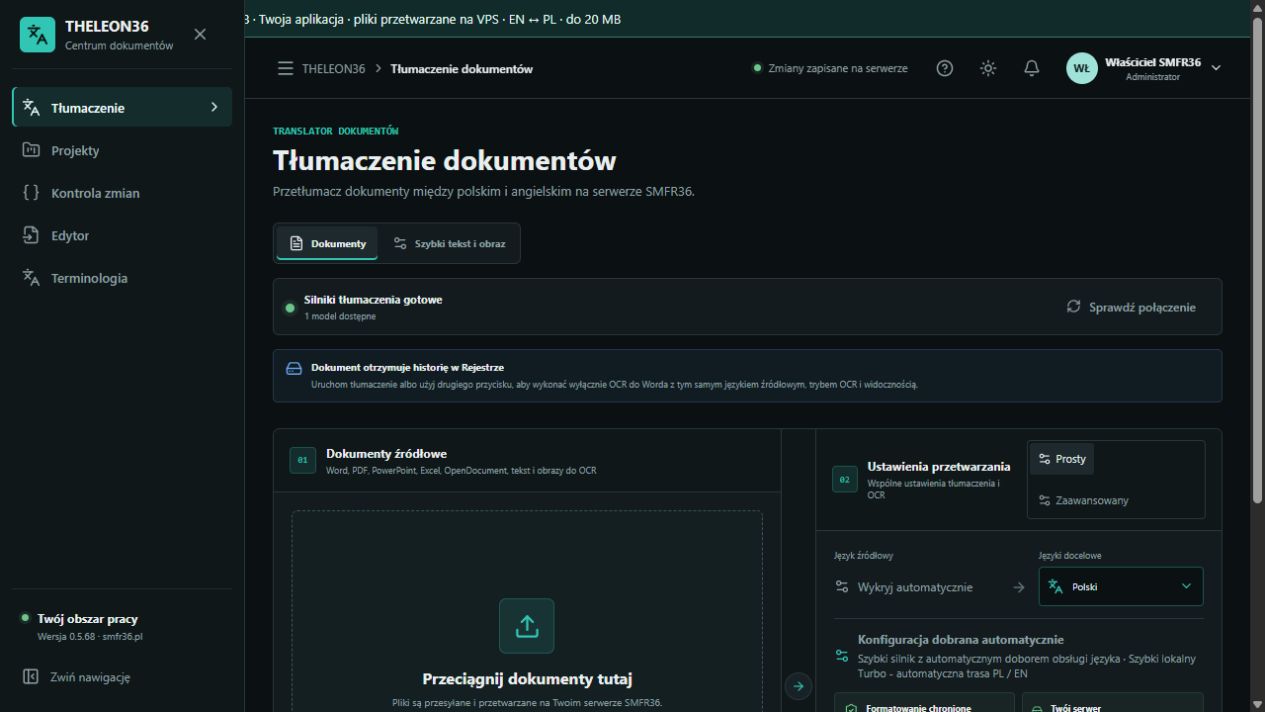
Document workflow
Browser version 0.5.68 with example documents.

Custom application directions

Designed to order, around your data and the way your team works.

SPEC36

Collect requirements from specifications in a structured register. Trace each entry to its source and list questions that need clarification.

Program details →

KNOWLEDGE36

Search project documentation and find relevant passages with their sources. Organise documents, duplicates and versions.

Program details →

DOCFORGE36

Reuse previous documentation and company templates in a new project. See what can be carried over, what needs revision and which data is missing.

Program details →

DATASCOPE36

Import a dataset, analyse a parts list and compare data versions. Check which source rows support the calculations.

Program details →

CONFORM36

Bring product data, obligations and evidence into one case. Track gaps and decisions requiring review by the responsible person.

Program details →

KCZ36

Connect a parts list with geometry, organise service items and prepare illustrations and a catalogue for review.

Program details →

SMFR_36

Discuss your task

Describe your goal, material and expected result. Ask about an application, translation or systems engineering consulting. Do not send confidential documents at this stage.

Discuss your task →

Accessibility

Adjust the display to suit your needs. Settings stay in this browser.

Accessibility profiles

A profile replaces your current settings with a preset. You can then adjust each option. Selecting the active profile again restores the defaults.

These settings reduce stimuli. They do not guarantee protection against seizures.

Text and reading
Text size100%
Colour and contrast
Navigation and media

The focus area follows the pointer or keyboard focus. Paused media does not restart automatically when this option is turned off.

Reading requires a local English browser voice. You can use a screen reader or system speech.

Keyboard: Tab moves to the next option. Escape closes this panel.