
Your own terminology
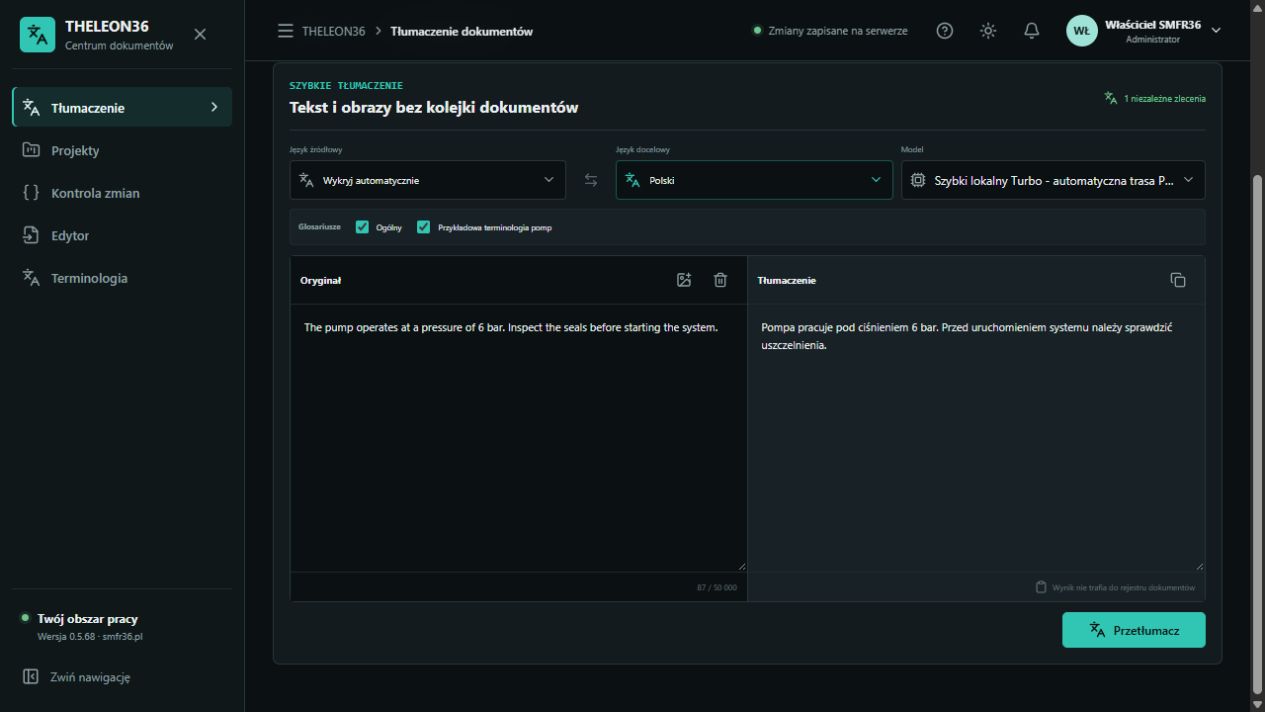
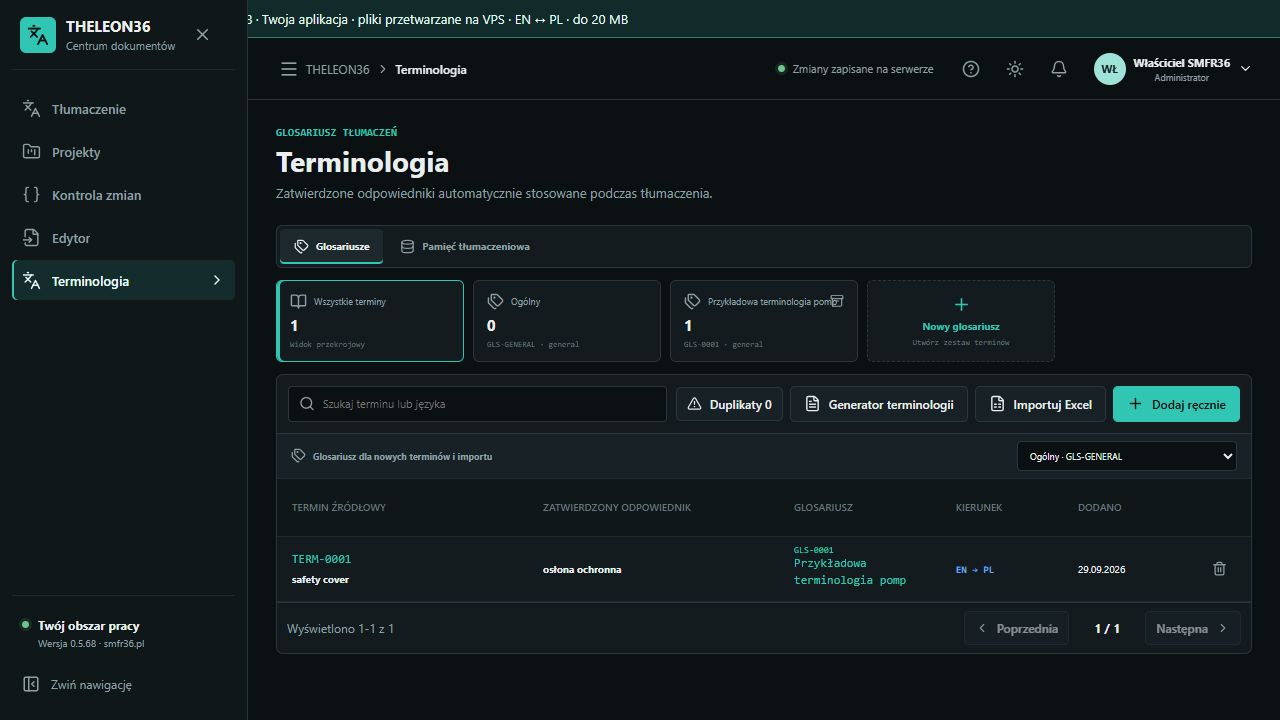
Glossaries and translation memory help keep names consistent across documents. A person familiar with the subject still needs to review the result.

THELEON36 · Document translation
For businesses and individuals working with documents. Unlimited translations with an active paid licence, files larger than 20 MB and document processing on your computer with a local AI engine.
Free browser demo after email verification.
With an active paid licence, THELEON36 does not cap the number of translations or charge for each translated page. For everyday work and large projects.
With a local AI engine, document content is processed on your computer without sending it to a model provider’s cloud. Choosing a remote model means sending content to that provider.
The Windows application accepts files up to 250 MiB each, including documents larger than 20 MB. Processing time depends on the format, document complexity and your computer.
These benefits apply to the Windows application with a paid licence. User and device counts depend on the plan; trial and demo have their own limits. External model services may have separate limits and charges. Activation and updates use network connections.
Consistent terms, your own glossary and a clear document review. Organise the work from source text to finished translation.
Glossaries and translation memory help keep names consistent across documents. A person familiar with the subject still needs to review the result.
When a document changes, identify the source used for its translation and review the changed passages. Revision handling and the capabilities of the particular release are checked in the manual and pilot.
The local option uses a model on the company computer. Configuring a remote provider changes the data route; the online demo runs on an SMFR36 server. Licence activation and updates use a separate connection.
A local engine can process content without sending it to an external AI service. This option includes software licensing, hardware and maintenance costs; no external AI engine subscription is required.
The Windows release runs in the user’s environment. AI models and external services depend on deployment configuration. The browser version processes data on SMFR36’s server and has separate limits.
Instructions, product documentation and project material requiring agreed terminology and result review. Check formats and requirements in the description and documentation before buying.
Browser version 0.5.68 with example documents.
THELEON36 · Your knowledge library
From deployment to everyday work. The user manual covers documents, translation and quality checks. The administrator manual covers installation, team setup, AI models, backups and updates.
Read the manual →Sign in to your SMFR36 account to read. No purchase required.
Technical documentation leaves the company together with customer data, comes back weeks later and without your terminology. The same passages are translated — and paid for — again in every project.
This list describes functionality confirmed in the current release. Anything under development is not listed.
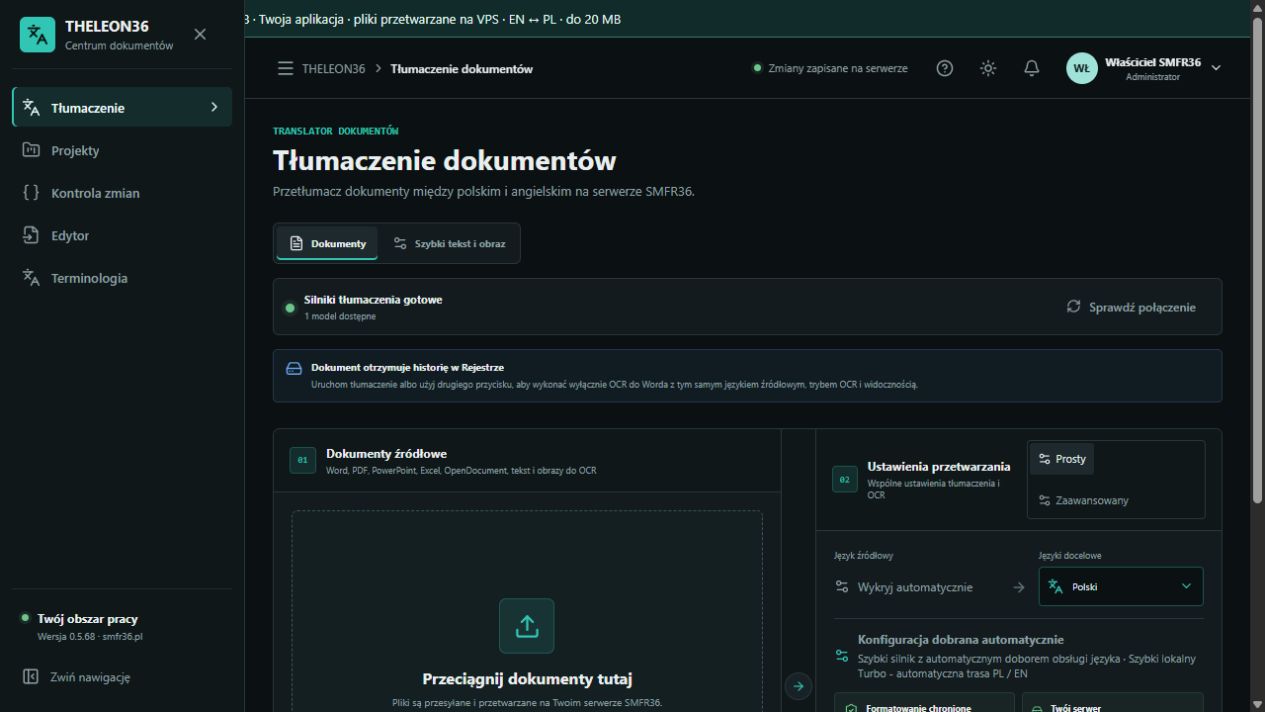
Document translation — DOCX, PDF, PPTX, XLSX, CSV, plain text
Works on the structure of the document: the layout of the result needs checking
OCR for scanned pages and images, detecting where the text sits
Glossaries and terminology, applied during translation
Translation memory across projects and revisions
Document register: versions, revisions and out-of-date translations
Post-translation checks, with targeted correction of flagged fragments
Local engines that run on your own machine
Optional connection to your own OpenAI-compatible endpoint
Accounts, roles and per-project access
Audit trail of actions
Assistant working on your own documents
Compare your current workflow with a planned change. Enter monthly net figures in one currency to calculate an estimate from your assumptions.
Complete every field to see the comparison.
The value of freed time does not necessarily reduce cash expenditure. Include human translation review. Use the current licence price and divide any annual fee by twelve.
Current prices →Source documents (DOCX, PDF), company and project glossaries, earlier translations.
Translated segments, an output document in a supported format and a task register. Review the layout and content before passing the document on.
Review the output before using it further. Detailed capabilities and limitations are listed below.
Engineering offices, documentation departments and manufacturers that ship technical documentation abroad.
Translates the documents DOCFORGE36 produced and uses the terminology collected in KNOWLEDGE36.
See how it works together →It is not a requirements management system and not an approval workflow — that is the job of SPEC36 and DOCFORGE36. Machine translation needs a human review, and the program says so. Complex tables and PDF layout may need correcting after translation, and some text may stay in the source language — check the result.
The interface, working files, database and translation memory run locally. With a local model the document never leaves the computer. If an administrator enables a remote OpenAI-compatible API, only segment text is sent over HTTPS, and a local-only policy can block all remote models.